


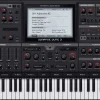

Juice By DLO VST Plugin brings the signature sounds of acclaimed producer David “DLO” Outing directly into your DAW. Because every preset reflects his real workflow, you get over 100 DLO-style pianos, synths, pads, leads, and drums — plus 100+ BeatStarter MIDI files and a dedicated Drum Page — ready to drop into a session on both Mac and Windows, with no subscription required.
What Makes the Juice By DLO VST Plugin Stand Out
Most producer-branded plugins license someone else’s sounds and slap a name on them. That’s not what this is. Every piano, synth, pad, lead, and drum sound inside the Juice By DLO VST comes from DLO’s actual workflow — the tones he reached for on real productions. So the sounds already sit in a mix the way you need them to, without hours of tweaking. Because the context is gospel and R&B, every patch carries that genre DNA. For producers who want more signature-sound instruments, the full VST Instruments collection has similar options across different artists and styles.
Juice By DLO VST Plugin — Key Features
100+ Juice By DLO Presets and Sounds
The library ships with over 100 carefully crafted presets spanning DLO-style pianos, synths, pads, and leads. Since every category is production-ready, you can drop a piano preset into a session and it sits in the mix without a separate EQ or compression pass. The patches are built to use, not just audition.
Dedicated DLO Drum Page
The drum page separates percussive sounds from the melodic instrument library, so you stop scrolling through synths to find a kick. DLO’s signature drum sounds load independently. That means your rhythmic and melodic elements stay organized and mix more naturally from the start.
100+ BeatStarter MIDI Files
Over 100 MIDI progressions and patterns come included in the package. Because they pair directly with the preset library, you load a MIDI file, assign a matching patch, and have a working musical idea in under two minutes. So for producers who hit blank-page paralysis at the start of a session, the MIDI files are a reliable way to get moving fast.
Dual Multi-FX Processors
Two built-in multi-effects processors cover delay, reverb, EQ, compression, saturation, and more. Since you shape and finish sounds entirely inside the plugin, you skip routing every channel through external effects. This keeps sessions clean and cuts the number of plugins you need open at once.
24-bit 48kHz Sample Resolution
All samples inside the Juice By DLO VST Plugin record at 24-bit 48kHz resolution. As a result, the sounds hold up in any mix — streaming, broadcast, or live performance — without audible degradation. There is no hidden quality ceiling when you push the output level.
VST3 and AU Formats for Mac and Windows
Juice By DLO runs as VST3 and AU on both Mac and Windows, with native support for M1, M2, and M3 Apple Silicon. Because major DAWs like Ableton Live, Logic Pro, and FL Studio all support those formats, installation is straightforward and the plugin loads reliably across every session.
Who Uses the Juice By DLO VST Plugin
Gospel and R&B Producers
The core use case is gospel and R&B production, since the presets reflect DLO’s genre and production context directly. If you spend hours hunting for the right piano or pad sound, this plugin cuts that process significantly. The patches already carry that genre voice, so you pick a sound and it works.
Contemporary Christian Music Producers
Contemporary Christian music shares a lot of sonic DNA with gospel — warm piano tones, lush pads, melodic synths. That’s why the Juice By DLO library covers that territory well. Producers working in CCM find the keyboard and pad patches translate cleanly across worship, devotional, and full-production contexts.
Hip-Hop and Neo-Soul Producers
The piano, synth, and pad presets also work across hip-hop and neo-soul production. They carry warmth and character without being genre-locked. So if you produce across multiple styles, the library pulls its weight well beyond the gospel context it was built for.
Producers Starting From Scratch
The MIDI file library makes the Juice By DLO VST especially useful for producers who struggle with starting new tracks. Instead of staring at an empty arrangement, you load a progression, layer a few patches on top, and have something to build from. Because the workflow gives you a starting point immediately, it encourages finishing tracks rather than stalling at the idea stage.
System Requirements
Mac Requirements
- macOS 10.12 or later — M1, M2, and M3 Apple Silicon fully supported
- 2.2 GHz Intel Dual Core processor or Apple Silicon
- 4 GB RAM minimum
- VST3 or AU compatible DAW
- 1280 x 1024 screen resolution or higher
Windows Requirements
- Windows 10 64-bit or later
- 2.2 GHz Intel Dual Core or AMD processor
- 4 GB RAM minimum
- VST3 compatible DAW
- 1280 x 1024 screen resolution or higher
Note: Juice By DLO does not yet support Pro Tools natively. To use it in Pro Tools, you need a VST3 host bridge such as Blue Cat Audio Patchwork.
Juice By DLO VST — Frequently Asked Questions
💻 Compatibility
Does Juice By DLO work on Apple Silicon Macs?
Yes — the plugin runs natively on M1, M2, and M3 Macs without Rosetta. Both Logic Pro AU and VST3 hosts on Apple Silicon are fully supported.
Which DAWs does the Juice By DLO VST Plugin support?
It works in all major VST3 and AU hosts on Mac and Windows: Ableton Live, Logic Pro, FL Studio, Cubase, Studio One, and others. Because AAX is not natively included, Pro Tools users need a VST3 bridge such as Blue Cat Audio Patchwork.
🛍 Purchase & Download
How do I receive the download after purchase?
Your serial number and download link arrive in your email immediately after checkout. If the email doesn’t show up within a few minutes, check your spam folder or use the contact page and we’ll resend it right away.
Is this a subscription or a one-time purchase?
One-time purchase only — no subscription, no recurring charges. You own the license outright and receive any future updates included in your version.
How many computers can I install it on?
The license covers your primary studio machine and a secondary computer. Check the Gospel Producers license terms for the exact device limit on your specific purchase.
🔧 Usage
Does the plugin work without an internet connection after activation?
Yes. After initial activation, Juice By DLO runs fully offline — no background licensing checks or internet requirement during sessions.
Get the Juice By DLO VST Plugin at vstor.me
The Juice By DLO VST Plugin is available here at vstor.me as a full-version instant download. Because checkout delivers the link immediately to your email, you can install and start producing within minutes on both Mac and Windows. Browse our Bundle Deals section if you want to combine this with other instruments for additional savings.
Be the first to review “Juice By DLO VST Plugin”
You must be logged in to post a review.
Related products
VST Instruments
VST Instruments
VST Instruments
VST Instruments
Sound Loops & Samples
VST Instruments
VST Instruments
Sound Loops & Samples
StudioLinked – Modernize VST + Festival Trap, EDM Trap EXPANSIONS
Reviews
There are no reviews yet.