

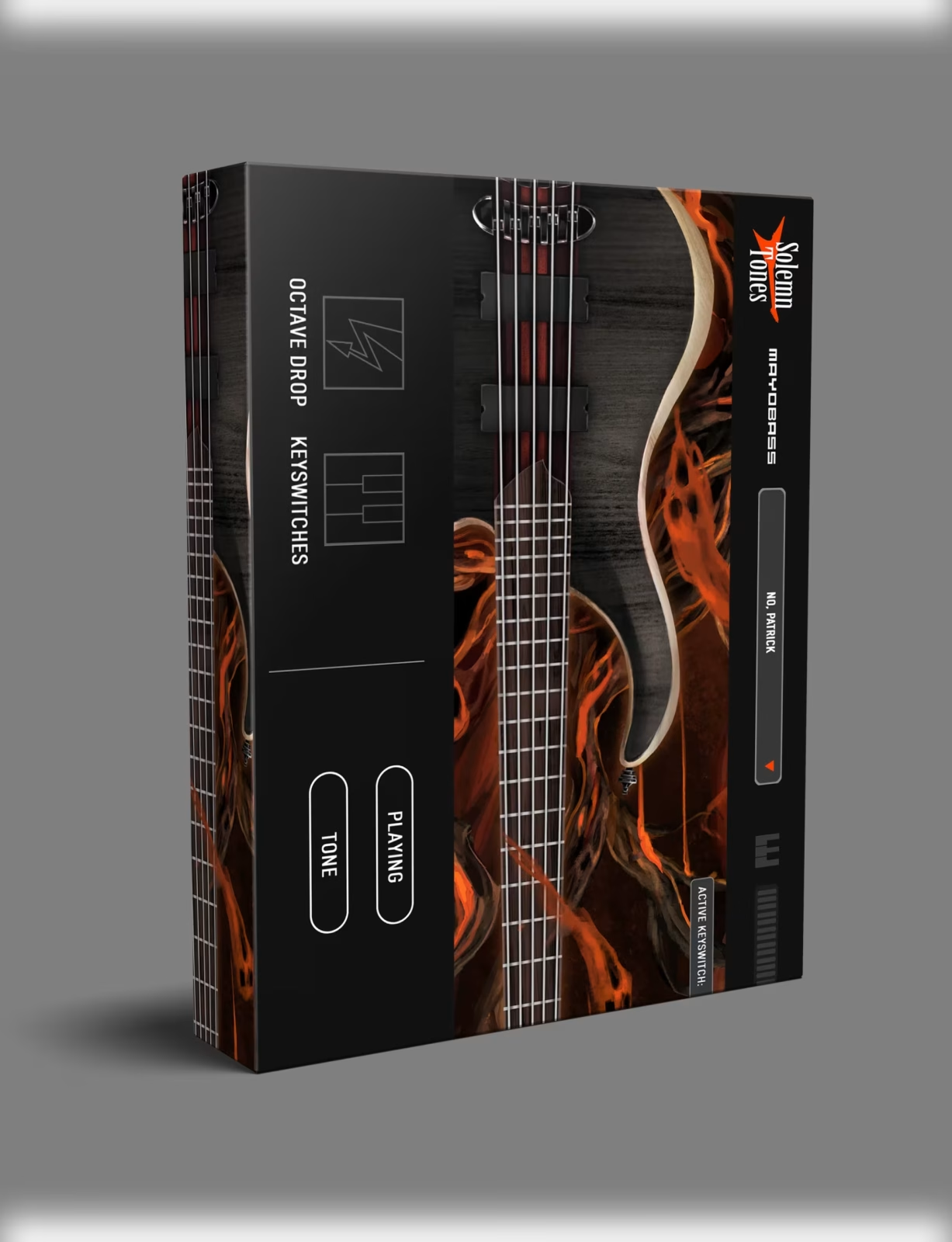
Solemn MayoBass VST Plugin
Original price was: $87.00.$45.00Current price is: $45.00.
Solemn MayoBass VST — a detailed bass sampler built on a Mayones Patriot Bass, featuring 20 articulations, 5 mix-ready tones, and drop tunings down to double drop C. No Kontakt required. VST3, AU, AAX. Mac & Windows.
Solemn MayoBass VST — Real Bass Tone, Right in Your DAW
If you’ve ever spent hours trying to make a bass part feel real — tweaking velocities, layering samples, fighting with a plugin that sounds like a keyboard pretending to be a bass — you’ll understand exactly why Solemn MayoBass VST stands out. This is a purpose-built bass sampler from Solemn Tones, recorded through a professional signal chain and designed to sit in a mix without needing an extra hour of post-processing.
The source instrument is a Mayones Patriot Bass — known for its tight low end and articulate midrange. That matters, because a great plugin starts with a great recording. MayoBass was tracked with exactly that in mind.
Whether you’re replacing a poorly recorded bass track or writing parts entirely from scratch, this VST delivers something most bass samplers don’t: a finished, ready-to-use result that doesn’t demand you become a mixing engineer just to get it sounding right.
What the MayoBass VST Brings to the Table
Most bass plugins give you a clean DI signal and leave the rest to you. MayoBass, however, includes five pre-processed tones built with Darkglass B7K and Parallax — two of the most respected bass processors in the industry. Furthermore, you get a clean DI option as well, so if you prefer to shape the tone yourself, that path is completely open.
Mix-Ready Presets That Actually Work
The fact that you can load a preset and immediately hear something mix-ready is a genuine time saver. As a result, you’re not spending 20 minutes dialling in EQ before the bass even fits the track. Each preset is usable straight out of the box, which is more than most competitors offer at this price point.
20 Articulations for Natural-Sounding MayoBass VST Parts
The articulation set is extensive. Specifically, you get down picking, up picking, alternating pick, finger picking, dead mutes, harmonics, slaps, slides, bends, open plucks, dead plucks, and left-hand mutes. In addition, slides from and to specific notes are included, covering the vast majority of what a real bass player actually does.
There’s also a Human Error menu built in. This tool adds subtle micro-variations to timing and dynamics, so programmed bass lines feel less mechanical. It’s a small detail, but the difference it makes is immediately noticeable.
Drop Tunings Without the Compromise
One of the most practical aspects of MayoBass is the tuning range. The instrument was sampled down to drop F, then retuned all the way to double drop C. Therefore, it covers virtually every drop tuning used in modern rock, metal, and heavy music production — drop D, drop C, drop B, drop A, drop G, and everything in between.
Because the samples were recorded at those tunings rather than pitch-shifted after the fact, there’s no resampled wobble or fake pitch-shift artefacts. For producers working in heavier genres, moreover, this alone is a strong reason to choose MayoBass over alternatives. Finding a bass VST that handles extreme drop tunings convincingly is harder than it should be.
Solemn MayoBass VST — Key Features
- ✔Sampled from a Mayones Patriot Bass through a professional recording chain
- ✔5 pre-processed mix-ready tones (Darkglass B7K + Parallax) + clean DI
- ✔20 articulations: slap, mutes, slides, bends, harmonics, picks, and more
- ✔Tunes down to double drop C — all major drop tunings covered
- ✔Human Error menu for realistic, natural-feeling bass lines
- ✔No Kontakt or third-party sampler needed — standalone engine included
- ✔Native M1/M2 support — Windows + Mac compatible
What’s Included
- →Installers for Mac & Windows
- →Single-user license (usable on multiple computers)
- →Download link delivered via email immediately after purchase
Technical Specifications
- •Format: VST3, AU, AAX — 64-bit DAW required
- •OS: Windows & Mac (native M1/M2 support included)
- •Disk Space: 4GB available storage
- •RAM: 2GB minimum (8GB+ recommended for DAW use)
Why MayoBass VST Fits Into Your Workflow
There’s a strong practical case for MayoBass that goes well beyond a feature list. First, if you’re producing remotely — no bass player on call, no studio budget for live tracking — a sampler like this fills the gap in a way that general-purpose libraries simply don’t. The articulation detail is specific enough to write convincing bass lines. Additionally, the mix-ready tones mean you’re not spending another hour on EQ and compression just to get the bass to sit.
It also pairs naturally with virtual drum instruments. For example, if you’re already using a drum VST from our catalogue for your rhythm section, MayoBass slots in without any mismatch in recording quality or realism.
Finally, there’s no Kontakt license required and no third-party sampler to manage. As a result, you simply load it in your DAW, choose your tone, and start writing.
❓ FAQ — Solemn MayoBass VST
Where do I receive my download after purchase?
Your download link is sent to the email address used at checkout. If you don’t see it within a few minutes, check your spam or junk folder.
What drop tunings does MayoBass support?
MayoBass is sampled down to drop F and retuned to double drop C. This covers E standard, drop D, drop C, drop B, drop A, drop G, drop F, drop E, double drop D, double drop C, and everything in between.
Do I need Kontakt to run this plugin?
No. MayoBass runs on its own engine — no Kontakt or any other third-party sampler is required. It loads directly as a VST3, AU, or AAX plugin in your DAW.
Is there a free demo version available?
Solemn Tones does not currently offer a demo version of MayoBass. You can, however, check out audio demos and mixes on the official Solemn Tones product page before purchasing.
What is the refund policy?
Due to the digital nature of the product, all sales are final. Please review our Refund Policy for full details before completing your purchase.
VST3 · AU · AAX | Mac & Windows | No Kontakt Required
Be the first to review “Solemn MayoBass VST Plugin”
You must be logged in to post a review.
Related products

VST Instruments


VST Instruments
VST Instruments
VST Instruments

VST Instruments
VST Instruments
VST Instruments
Xpectre VST – Chill Trap & Urban Synth Plugin with 185+ Sounds

VST Instruments
Reviews
There are no reviews yet.