

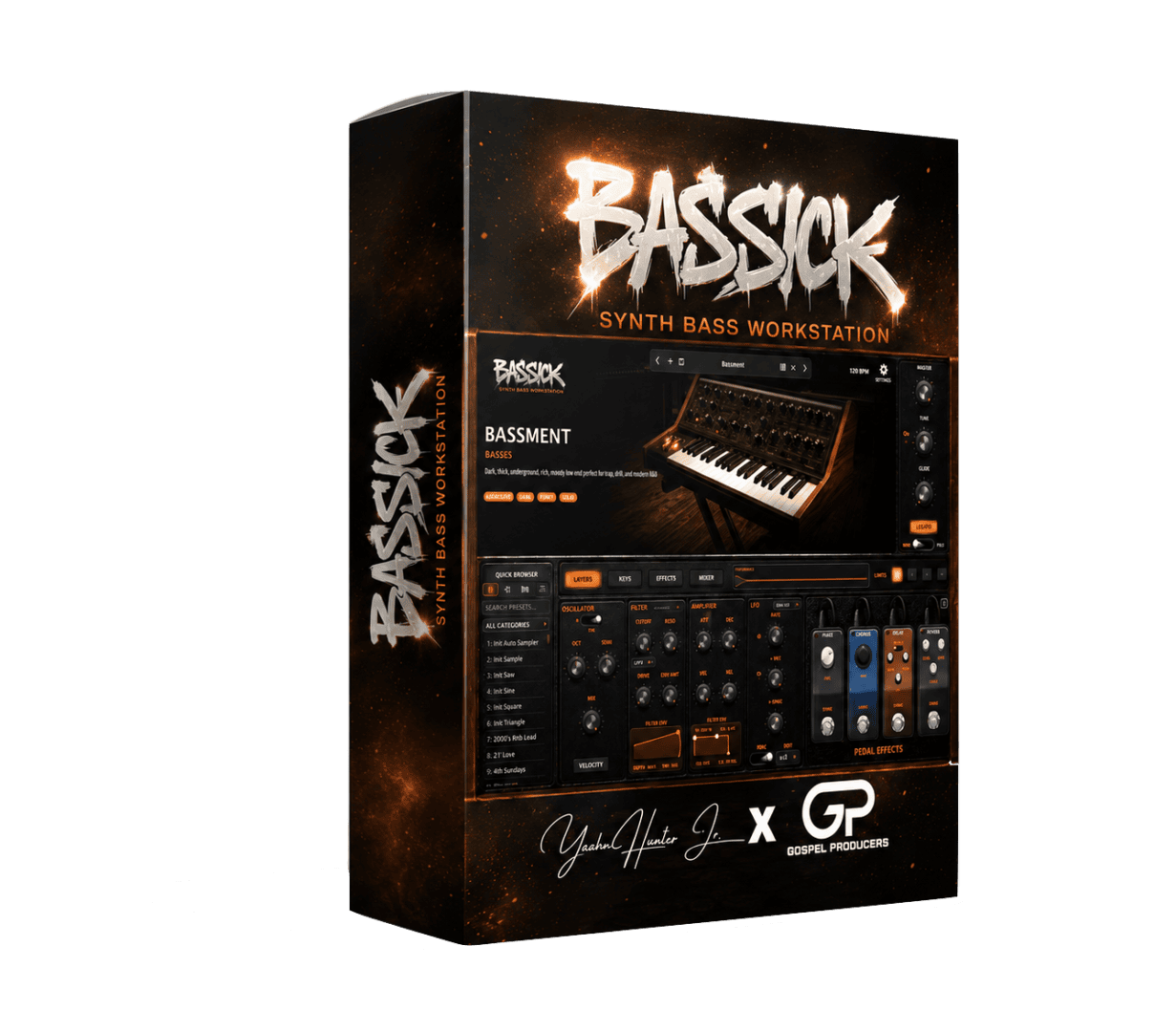


Bassick VST by Gospel Producers is for producers who want the low end to feel finished, not half-built. Instead of bouncing between a synth, a sampler, and a stack of processing plugins, you get the main pieces in one place: layered synthesis, sampling, onboard effects, hardware integration, and standalone playability. It is the sort of instrument that makes sense when bass is doing real work in the track.
Key Features
Blend multiple bass textures in one patch
Reinforce weight and attack
Drop in your own sounds fast
Capture hardware with one click
Balance layers inside the instrument
Basses, leads, 808s, and more
Bassick VST Plugin for Deep Low-End Design
Bassick is more useful than a simple preset player because it treats low end like a full sound-design job. Four oscillator layers let you stack different tones, the dedicated sub oscillator keeps the foundation solid, and the noise layer helps a patch speak with a little more edge. That gives you room to build bass sounds that feel heavy without turning vague or muddy.
If you want more sound-shaping tools after this, the store’s VST Instruments and VST Plug-ins sections are both relevant internal follow-ups.
Why Bassick VST by Gospel Producers Stays Open Longer
The onboard effects help keep the workflow moving. Fuzz, chorus, delay, reverb, saturation, EQ, and limiting are already in place, so you can shape a usable sound without immediately reaching for more plugins. The sampler makes the instrument even more flexible by letting you drag in your own audio, record outside hardware, or Auto Sample a connected synth straight into your library.
That combination is what makes Bassick feel like a workstation instead of a narrow instrument. It can start the idea, shape the idea, and often finish the idea too.
Hardware Mapping and Standalone Play
Bassick VST Plugin also supports direct mappings for compatible Moog synths such as the Sub Phatty, Sub 25, Subsequent 37, Messenger, and more. Add Mono and Duo modes, Legato, Glide, Aftertouch, Favorites, a Setlist Manager, and standalone operation, and the plugin starts to make sense beyond the studio desk as well.
For the current plugin-format reference, Steinberg maintains the official VST3 documentation.
Frequently Asked Questions
Be the first to review “Bassick VST by Gospel Producers – Synth Bass Workstation”
You must be logged in to post a review.
Related products
VST Instruments
VST Instruments
VST Instruments
VST Instruments
VST Instruments
VST Instruments
Sound Loops & Samples
VST Instruments
Reviews
There are no reviews yet.