

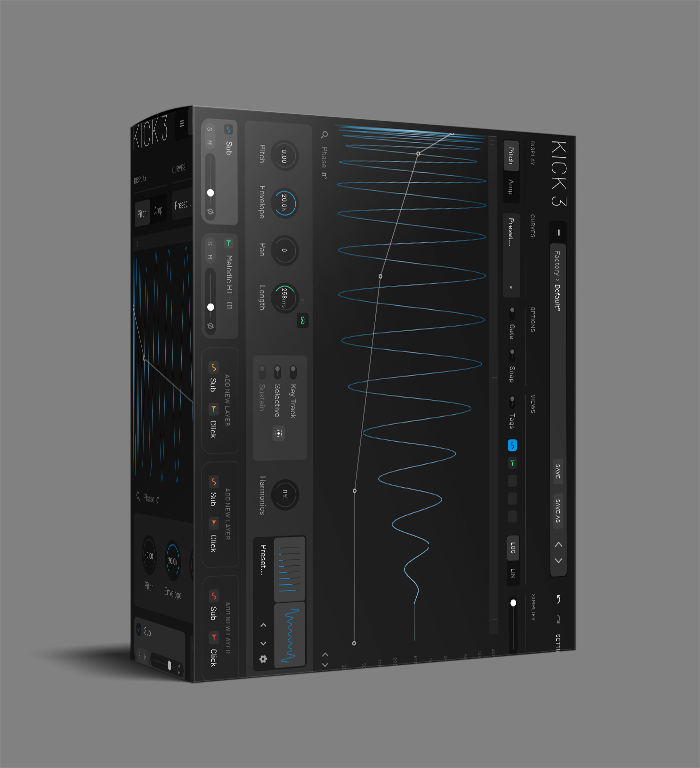
KICK 3 VST Drum Plugin – Kick Drum Synthesizer


Original price was: $82.00.$40.00Current price is: $40.00.
KICK 3 by Sonic Academy is a dedicated kick drum synthesizer with 3 oscillators, pitch envelope control, built-in effects, 200+ presets, and low CPU usage for EDM, techno, and house.
Out of stock
Kick 3 VST Plugin By Sonic Academy: The Ultimate Kick Drum Plugin for Electronic Music Producers
Creating the right kick drum can make or break an electronic track. While samples offer convenience, they often lack the precise control needed to fit perfectly in your mix. That’s where KICK 3 VST comes in—a dedicated kick synthesizer from Sonic Academy that lets you design kicks from the ground up.
Used by producers across EDM, techno, house, and hip-hop, the KICK 3 VST provides the tools to shape every aspect of your kick’s sound. Whether you need a deep sub-bass kick for techno, a punchy four-on-the-floor for house, or a distorted kick for dubstep, this plugin delivers with an intuitive interface that makes the process fast and enjoyable.
Key Features of KICK 3 VST
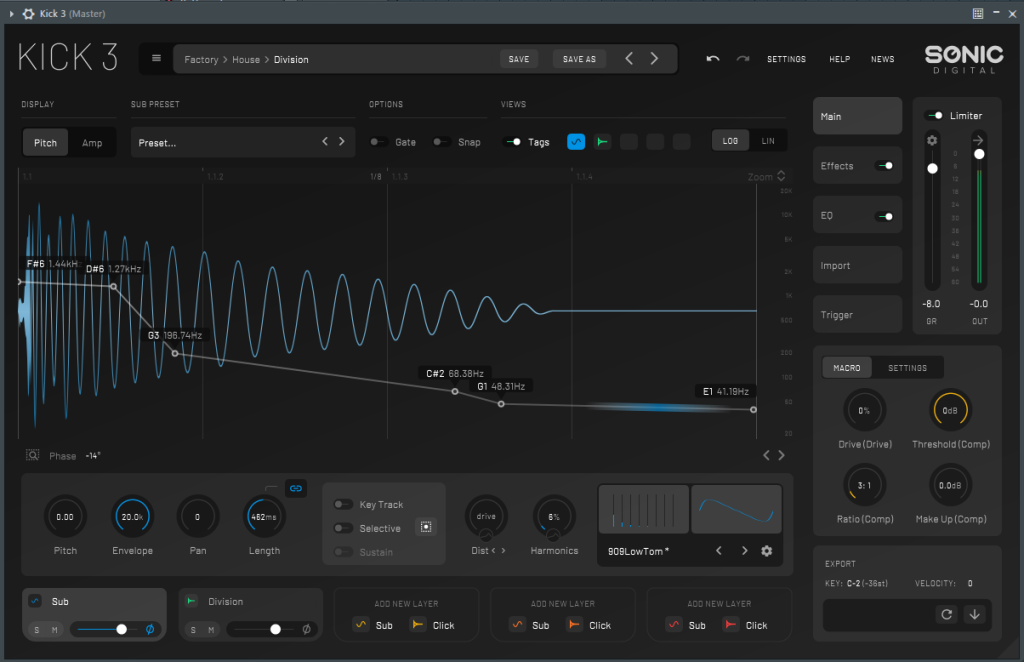
- ✓ Three oscillators: Sine, Noise, and Tone for full control
- ✓ Pitch envelope for precise attack and decay shaping
- ✓ Built-in distortion, EQ, and compression effects
- ✓ LFO and envelope modulation for movement
- ✓ 200+ presets across EDM, techno, house, dubstep
- ✓ Drag-and-drop preset manipulation
- ✓ Low CPU usage for efficient performance
- ✓ VST3, AU, AAX formats for Windows and macOS
How KICK 3 VST Improves Your Workflow
Instead of searching through sample libraries for the perfect kick, KICK 3 VST lets you create exactly what you need. Start with the sine oscillator for your sub-bass foundation, then add noise for texture and attack. Next, use the tone oscillator to shape the click character. Finally, adjust the pitch envelope to control how the kick punches through your mix.
The built-in effects let you add grit with distortion, shape frequency balance with EQ, and control dynamics with compression—all within the same plugin. As a result, this integrated approach means you can design a complete, mix-ready kick without needing additional processors in your chain.
KICK 3 VST: Technical Specifications & Compatibility
System Compatibility
- • Platforms: Windows and macOS
- • Formats: VST3, AU, AAX
- • DAW Support: Ableton, FL Studio, Logic Pro, Cubase, Studio One, Bitwig
KICK 3 works efficiently in your existing setup. If you’re using other drum synthesis tools like Battery, KICK 3 complements them by focusing specifically on kick design. FL Studio producers can pair it with full project templates in the Ultimate Producer Bundle. For responsive texture layering on kicks and percussion, see Devious Machines Texture VST. For more information, visit the Sonic Academy website.
KICK 3 VST – Frequently Asked Questions
How does KICK 3 compare to using kick samples?
While samples offer convenience, the KICK 3 VST gives you complete control over every aspect of your kick’s sound. You can tune it exactly to your track’s key, adjust the attack and decay to fit your mix, and add processing that matches your production style. As a result, every kick is unique to your session.
Can I create realistic acoustic-style kicks with KICK 3?
KICK 3 is primarily designed for electronic music production. While you can create some acoustic-style kicks using the noise and tone oscillators, it’s optimized for synthesized kicks common in EDM, techno, house, and related genres. For acoustic drums, however, a sample-based instrument would be more appropriate.
Does KICK 3 support MIDI triggering and automation?
Yes. You can trigger KICK 3 VST via MIDI notes and automate all parameters through your DAW’s automation system. This makes it easy to integrate into your existing workflow and create dynamic kick patterns that evolve over time.
Is there a standalone version of KICK 3?
KICK 3 is available only as a plugin for use within compatible DAWs. There isn’t a standalone application version; however, the plugin integrates smoothly with all major digital audio workstations including Ableton, FL Studio, and Logic Pro.
For producers who want precise control over their kick drums without the limitations of samples, the KICK 3 VST provides a focused solution. It combines synthesis flexibility with practical workflow features that fit modern production needs.
Be the first to review “KICK 3 VST Drum Plugin – Kick Drum Synthesizer”
You must be logged in to post a review.
Related products
VST Plug-ins
VST Plug-ins
VST Plug-ins
VST Plug-ins
VST Plug-ins
VST Plug-ins
VST Plug-ins
Reviews
There are no reviews yet.