
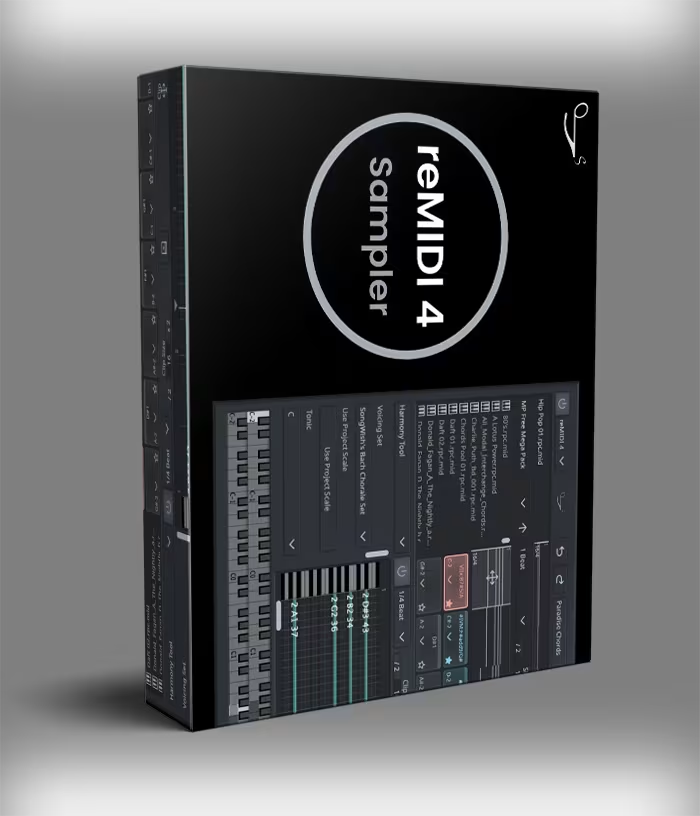
SongWish reMIDI 4 VST Plugin
SongWish reMIDI 4 VST — MIDI sampler plugin with 128-pad grid, built-in MIDI library, slice-to-pads, scale sync, and real-time DAW control. VST, VST3, AU. Mac & Windows. Instant download.
Original price was: $128.00.$64.00Current price is: $64.00.
Description
reMIDI 4 VST by SongWish is a MIDI sampler plugin that treats MIDI files the way a traditional sampler treats audio — grab any melodic phrase or drum groove, chop it up, rearrange it, and trigger it in real time. Whether you’re pulling inspiration from a Bach fugue or your own loop pack, reMIDI 4 gives you hands-on control over MIDI data without touching a piano roll. It’s built for producers who want to move fast and stay creative.

What Makes reMIDI 4 VST Different from a Standard MIDI Editor
Most MIDI tools make you edit first and hear the result later. reMIDI 4 flips that. You browse, audition, slice, and trigger — all in real time, without stopping playback. The built-in MIDI library ships with hundreds of files organized by style and composer, so you’re never starting from a blank slate. And if you have your own collection of loops or packs, the browser pulls those in too.
The 128-pad grid is the heart of the plugin. Each pad holds a slice from a MIDI file — a chord, a riff, a fill, a full bar. Spread across 8 pages, that’s a lot of territory to work with. Pads are automatically named based on the detected chord and scale, which cuts down on guesswork and keeps your session organized even when things get complex.
Key Features of the SongWish reMIDI 4 VST Plugin
The Built-In MIDI Library — 150+ Composers, 8 Genres
Most MIDI plugins ship with a handful of loops and call it a library. reMIDI 4 takes a different approach. The factory content pulls from over 150 classical and jazz composers — Bach, Beethoven, Chopin, Gershwin, Mozart, and more — organized across eight genres: Baroque, Classical, Folk, Hymn, Jazz, March, Renaissance, and Romantic. That’s not filler content. Those are finished compositions with real harmonic movement, and sampling from them is a legitimate creative technique producers have used for decades.
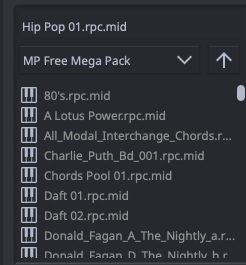
Beyond the factory content, you can point reMIDI 4 at any folder on your drive. Your own loop packs, purchased MIDI libraries, recorded progressions — all of it loads straight into the browser. Favorite folders stick around between sessions. The 2D browsing panel makes it easy to explore a large collection without losing your place.
Use reMIDI 4 as a Full Band Controller
One of the more interesting things you can do with multiple instances of the Songwish reMIDI 4 sampler is build a full virtual band. Load one instance with a drum groove, another with a bass line, a third with chord stabs, and a fourth with a lead melody. Route each to a separate instrument. Then trigger them all from a single MIDI controller — one finger conducting the whole arrangement. It sounds like a gimmick until you try it in a session.
For live performance, the real-time control is particularly useful. Bind MIDI inputs to specific pads, trigger sequences on the fly, and layer multiple pads at once for dense, evolving textures. The tempo controls let you cut the BPM in half or multiply it by any factor while staying locked to your DAW clock — so nothing drifts out of sync.
DAW Compatibility & System Requirements
On Mac, reMIDI 4 runs on OS X 10.12 or later — natively compatible with Apple Silicon. On Windows, it needs Windows 7 or later, 64-bit only. Plugin formats cover VST, VST3, and AU on Mac, and VST and VST3 on Windows. That covers Ableton Live, Logic Pro, FL Studio, Cubase, Studio One, and any other major DAW without workarounds.
For more professional production tools and MIDI-focused plugins, browse the full VST plugin collection on VSTor. You can also find instruments that pair well with reMIDI 4 as a MIDI source — SongWish continues to release companion tools worth keeping an eye on.
Frequently Asked Questions
What exactly is the reMIDI 4 VST plugin?
reMIDI 4 is a MIDI sampler plugin by SongWish. It loads MIDI files — not audio — and lets you slice, rearrange, and trigger them from a 128-pad grid. Think of it like an MPC, but for MIDI data. You can route its output to any VST or AU instrument in your DAW, or drag clips straight into your session.
Is reMIDI 4 compatible with Ableton Live and Logic Pro?
Yes. The Songwish reMIDI 4 sampler supports VST, VST3, and AU formats, which covers Ableton Live, Logic Pro, FL Studio, Cubase, Studio One, and most other 64-bit DAWs on Mac and Windows.
Can I load my own MIDI files into reMIDI 4?
Absolutely. The browser supports any folder on your system, including external drives. Point it at your own loop packs or purchased MIDI libraries and they load straight into the 2D browser alongside the factory content.
What’s new in reMIDI 4 compared to version 3?
Version 4 expanded the pad grid to 128 pads across 8 pages, added track and channel filtering for multi-track MIDI files, improved the 2D browser, and introduced auto-naming of pads based on detected chords and scales. The real-time update engine was also refined for smoother live performance use.
Does reMIDI 4 work on Apple Silicon Macs?
Yes — the reMIDI 4 VST plugin is natively compatible with Apple Silicon (M1, M2, M3). It also runs on Intel Macs with OS X 10.12 or later. On Windows, 64-bit Windows 7 or above is required.