



M-Tron Pro IV by GForce Software is the most thorough Mellotron emulation you can load into a DAW right now. Built around the Mellotron M400 — the tape keyboard behind The Beatles, Led Zeppelin, and Radiohead — this plugin puts 9 GB of real tape samples and 800+ presets into your sessions. It covers progressive rock, lo-fi hip hop, cinematic scores, and ambient textures. Version IV was rebuilt from scratch to give producers real creative control without hunting through menus.
M-Tron Pro IV VST: The Mellotron That Actually Feels Real
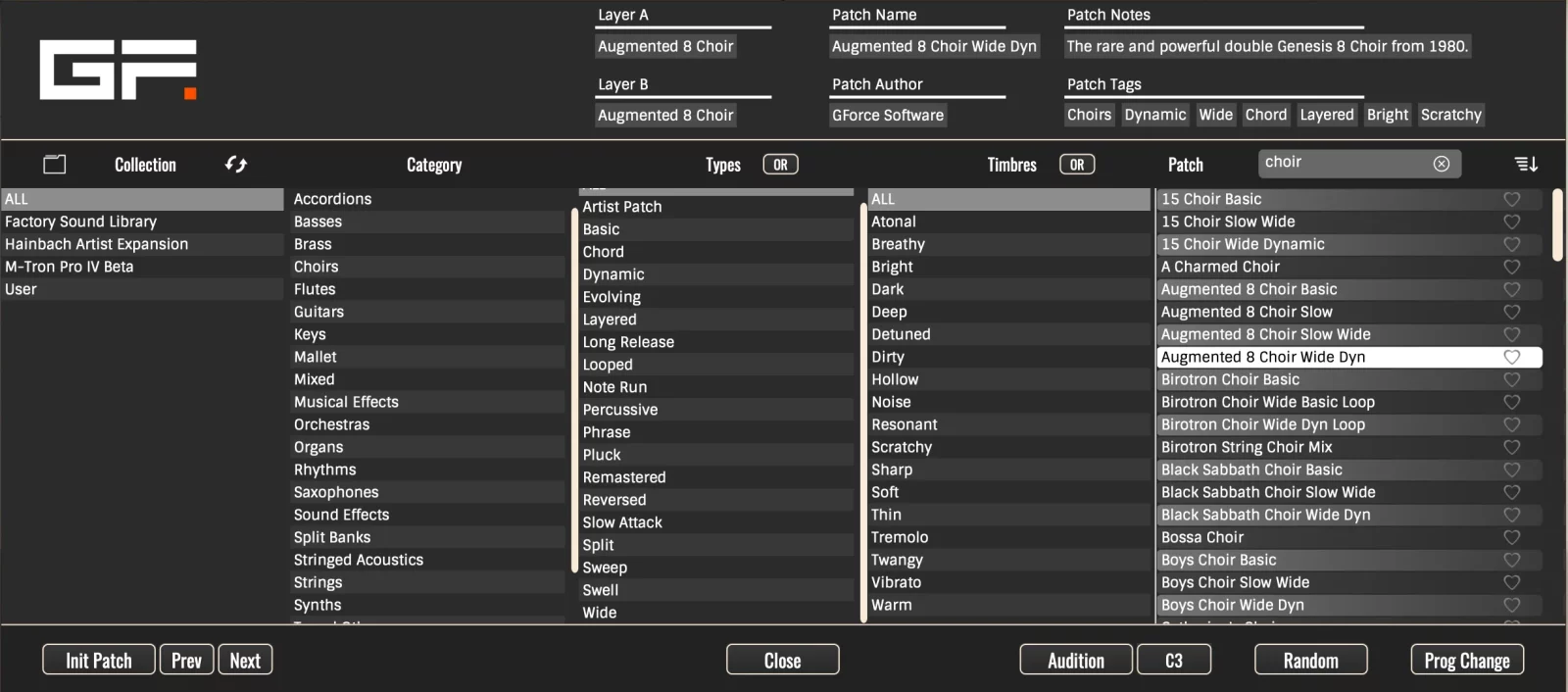
GForce didn’t patch version IV — they rebuilt it. The interface now scales to any screen size. The new Preset and Tape Browsers make navigating 800+ patches quick. Additions like Undo, Redo, Copy, and Paste bring the workflow in line with how producers actually work. If you’ve run earlier versions, the difference is clear within minutes. And if this is your first GForce Mellotron instrument, you’re starting at the best version yet.
The core tape playback engine, however, stays true to what made the original Mellotron worth emulating. Every bank is built from 35 individually sampled notes — no pitch-stretching across octaves. That means the tonal character holds up from low string pads to high flute lines. Version IV layers a proper production toolkit on top of that foundation without touching what already worked.
Key Features of the GForce M-Tron Pro IV VST Mellotron Plugin
The Tape Library Behind M-Tron Pro IV
The 9 GB library in M-Tron Pro IV spans the factory content and all 7 included expansions. The factory set alone covers 200+ tape banks, each recorded note by note — 35 samples per bank, no pitch-shifting. That approach takes longer to build. The payoff is that each note sounds like the real instrument at that pitch, not a stretched copy of something nearby. The expansions add entirely different instruments on top of that foundation.
The expansion content comes from the Chamberlin, Optigan, and Orchestron. Rare Mellotron banks also come from original master tapes via Streetly Electronics — the UK workshop with direct roots in the 1960s instruments. If you want even more, the Complete bundle takes the total to 12.5+ GB with 525+ tape banks and 3,700+ presets.
Included Libraries & Expansion Packs
Your purchase comes with a complete set of tape libraries and expansion packs. Each one covers a different instrument or era. Together, they give you a wide range of sounds ready to load the moment you open the plugin.
Rare Chamberlin tape sounds — the American cousin of the Mellotron with its own distinct character.
Samples sourced from the Optigan — a disc-based home organ with a sound unlike anything else in this collection.
Full orchestral tape sets from the Orchestron — strings, brass, woodwinds, and choral textures for cinematic work.
Sound effects and experimental tapes from Streetly Electronics — unusual textures that go beyond standard instrument categories.
Original M300 Mellotron tapes recorded from master sources — an earlier, rarer model with its own tonal signature.
A second volume of curated Streetly Mellotron tapes — additional banks covering strings, voices, and brass.
Volume 3 extends the Streetly collection further — more obscure tape sets and less common Mellotron sounds.
The final Streetly volume — sourced from original master tapes with the same note-by-note recording standard as the core library.
How to Load Libraries and Expansions in M-Tron Pro IV
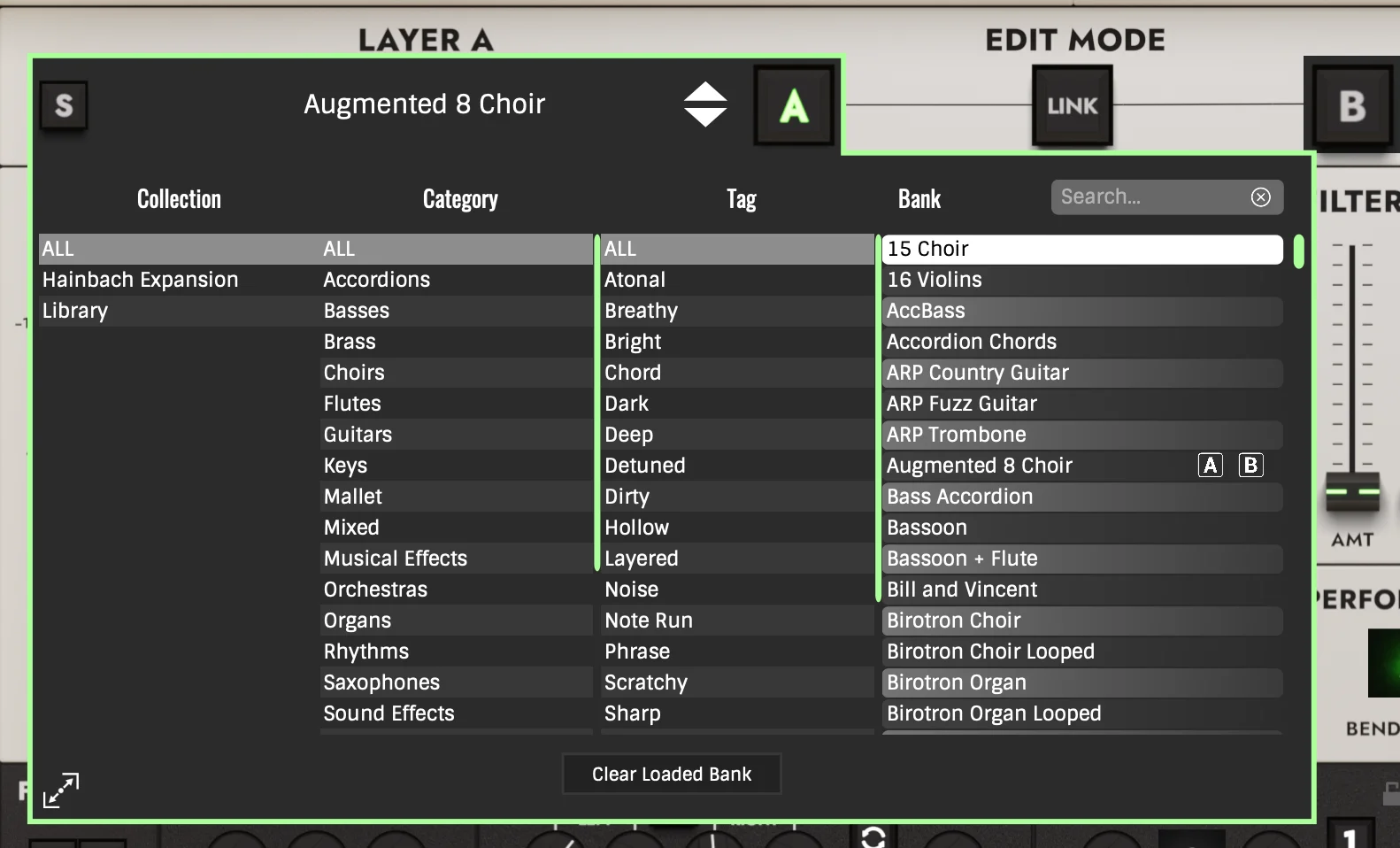
Loading additional libraries into M-Tron Pro IV takes about a minute. The plugin supports folders stored anywhere — including external drives. Follow these steps and your new banks will show up in the browser immediately after a refresh.
Step-by-Step Tutorial
How the Signal Chain Works — Tape to FX
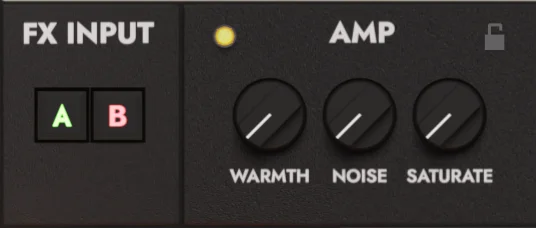
The version IV signal chain starts with the dual-layer engine. Load two tape banks at once and blend them, lock their editing together, or split them across the keyboard. From there, the Tape section handles Wow, Flutter, Reverse, and Half-Speed. Those controls let you set how much organic drift the sound carries. The new Amp Simulation then adds warmth and edge without making the result feel overworked.
On top of that, two independent filters handle tonal shaping — the original multimode and the new state-variable. The LFO routes to pitch, pan, level, or filter. Matrix Reverb and a second Ensemble effect sit in the global FX section, feeding one or both layers. For a tape instrument, that’s a serious amount of sound design range.
DAW Compatibility & System Requirements
On Mac, the plugin runs on macOS 10.13 or above — native on Intel and Apple Silicon. On Windows, a 2 GHz CPU, 2 GB RAM, and Windows 7 or later covers it. Formats include VST2, VST3, AAX, and AudioUnit. That means it drops into Ableton Live, Logic Pro, Pro Tools, Cubase, FL Studio, and Reaper cleanly. The standalone mode runs outside a DAW entirely. It’s a solid choice for live keyboard setups where loading a full session isn’t practical.
For technical specs and setup guides, the GForce Software user manual covers everything in detail. Similarly, if you’re building out a broader keyboard setup, the VST plugin collection on VSTor has instruments that pair well with this one.
Frequently Asked Questions
What is M-Tron Pro IV and how does it differ from earlier versions?
It’s the fourth major version of GForce’s Mellotron emulation. New additions include a scalable interface, redesigned Preset and Tape Browsers, Amp Simulation, Matrix Reverb, and Tape Wow & Flutter with Instability control. A second filter, second ensemble, and extended keyboard range are also new. Each addition addresses something earlier releases handled less well.
Is M-Tron Pro IV compatible with Apple Silicon Macs?
Yes — it runs natively on M1, M2, and M3 Macs, and on Intel Macs running macOS 10.13 or higher. On Windows, it needs a 2 GHz CPU, 2 GB RAM, and Windows 7 or above. Formats include VST2, VST3, AAX, AudioUnit, and Standalone.
How large is the M-Tron Pro IV sound library?
The total library is 9 GB across the factory content and all 7 included expansions. That covers 200+ tape banks and 800+ presets out of the box. The M-Tron Pro – Complete bundle goes further — 12.5+ GB, 525+ banks, and 3,700+ presets.
Can I run it live without a DAW?
Yes. It ships with a full standalone application. Connect a MIDI controller, open the app, and you’re running — no DAW needed, no session to load. That makes it a clean choice for live keyboard setups and rehearsals.
What expansion packs are included with M-Tron Pro IV?
Your purchase includes ChamberTron Xtras, OptiTron, OrchesTron, The Streetly SFX Console, The Streetly Tapes M300, and The Streetly Tapes Volumes 2, 3, and 4. Each covers a different instrument or Mellotron era. Use the step-by-step tutorial above to load them into the plugin browser.
What genres is this Mellotron plugin suited for?
The Mellotron is best known in progressive rock and psychedelic pop, but this plugin covers more ground. Lo-fi hip hop producers use the tape drift controls. Ambient and film composers work with the reverb and filter depth. The sound design range goes well beyond the vintage associations.
Be the first to review “GForce M-Tron Pro IV VST Plugin”
You must be logged in to post a review.
Related products
Bundle Deals

Sound Loops & Samples
VST Plug-ins

VST Instruments
Sound Loops & Samples
StudioLinked – Modernize VST + Festival Trap, EDM Trap EXPANSIONS
VST Plug-ins
Bundle Deals
VST Plug-ins
Reviews
There are no reviews yet.