
The Instrument By Phil Speiser
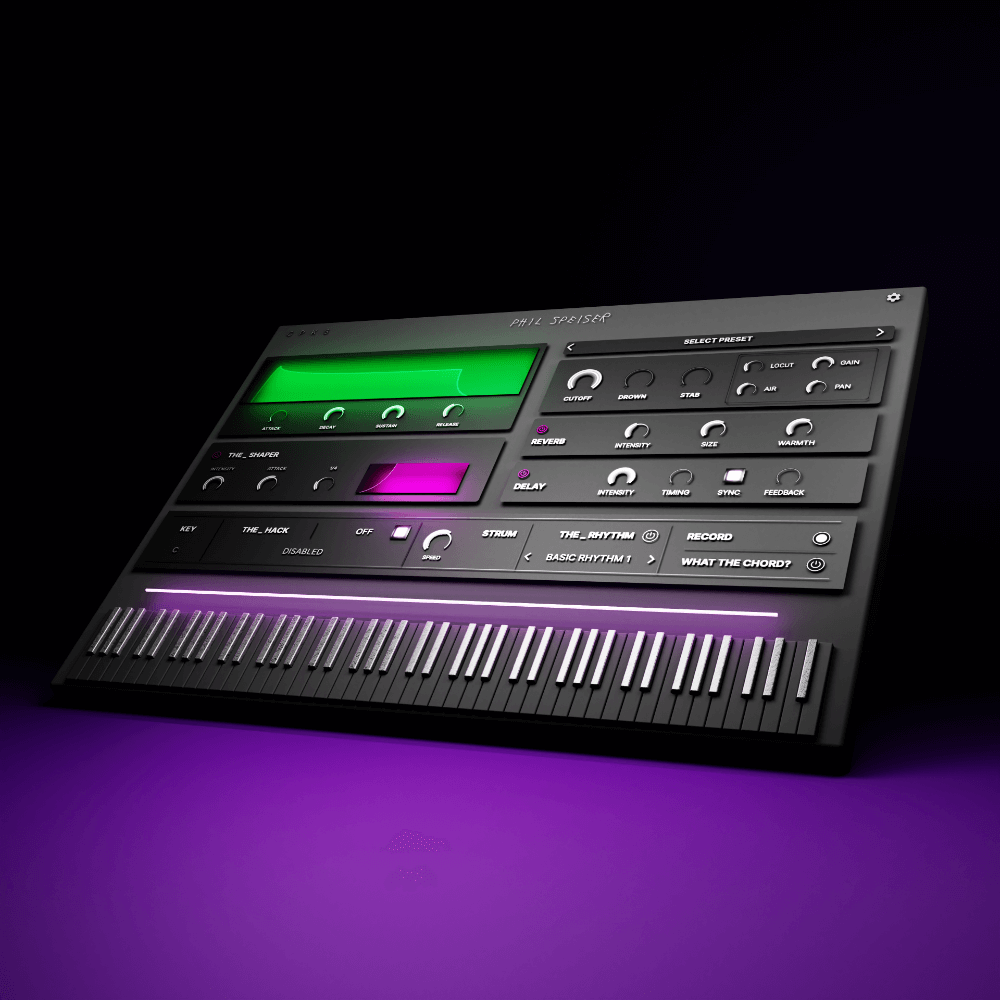
The Instrument by Phil Speiser is a virtual instrument with 100+ release-ready sounds, hundreds of Chord, Rhythm, Bassline, and Melody Presets, a Melody Generator, music theory algorithm for scale correction, MIDI export, integrated chord detection (WHATTHECHORD), and THE_SHAPER sidechain effect. Free lifetime sound updates. PC and Mac.
Original price was: $99.00.$40.00Current price is: $40.00.
Description
The Instrument By Phil Speiser PC & MAC
Get The Instrument by Phil Speiser from VStor.me — a virtual instrument with 100+ production-ready sounds, built-in Chord, Rhythm, Bassline, and Melody Presets, a Melody Generator, and a music theory algorithm that keeps everything in key automatically.
Phil Speiser built The Instrument around the idea that producers shouldn’t have to think about theory to write good chord progressions or melodies. You play a note, the algorithm ensures it sits in the correct scale, the chord presets turn that note into a full voicing, and the Melody Generator creates patterns that fit your composition. The RECORD function captures whatever you generate as a MIDI file for use outside the plugin.
Core Features
- 100+ sounds — recorded and processed with professional gear, release-ready without additional processing
- Free lifetime sound updates — new sounds added directly inside the plugin
- Chord, Rhythm, Bassline, and Melody Presets — hundreds of starting points across all genres
- Melody Generator — creates fitting melodies from your input with one click
- Music Theory Algorithm — scales correction ensures no wrong notes regardless of what you play
- MIDI Export — convert any generated composition to MIDI for use in other instruments
- WHATTHECHORD — integrated chord detection shows the name of the current chord in real time
- THE_SHAPER — built-in sidechain effect for instant pumping without additional routing
Phil Speiser — The Instrument for PC & MAC
More info: The Instrument official page at PhilSpeiser.com
Frequently Asked Questions
Do I need music theory knowledge to use The Instrument?
No. The music theory algorithm handles scale correction automatically — whatever notes you play are mapped to the correct scale so you never hit wrong notes. The Chord Presets, Melody Generator, and Rhythm Presets all generate musical content from single-note input, so you can create full chord progressions and melodies without any theory background.
Can I export the generated MIDI to use in other plugins?
Yes. The RECORD function captures whatever you generate inside The Instrument as a MIDI file. You can then drag that MIDI into any other instrument track in your DAW and use it with any sound you choose.
How do the lifetime free sound updates work?
New sounds are pushed directly to the plugin and appear inside The Instrument without downloading separate files or expansions. As long as you have your license, new sounds added by Phil Speiser become available instantly the next time you open the plugin with an internet connection.
What DAWs does The Instrument support?
The Instrument runs on both PC and Mac as a standard VST/AU plugin, compatible with FL Studio, Ableton Live, Logic Pro, Cubase, Studio One, Reaper, and all major 64-bit DAWs.