

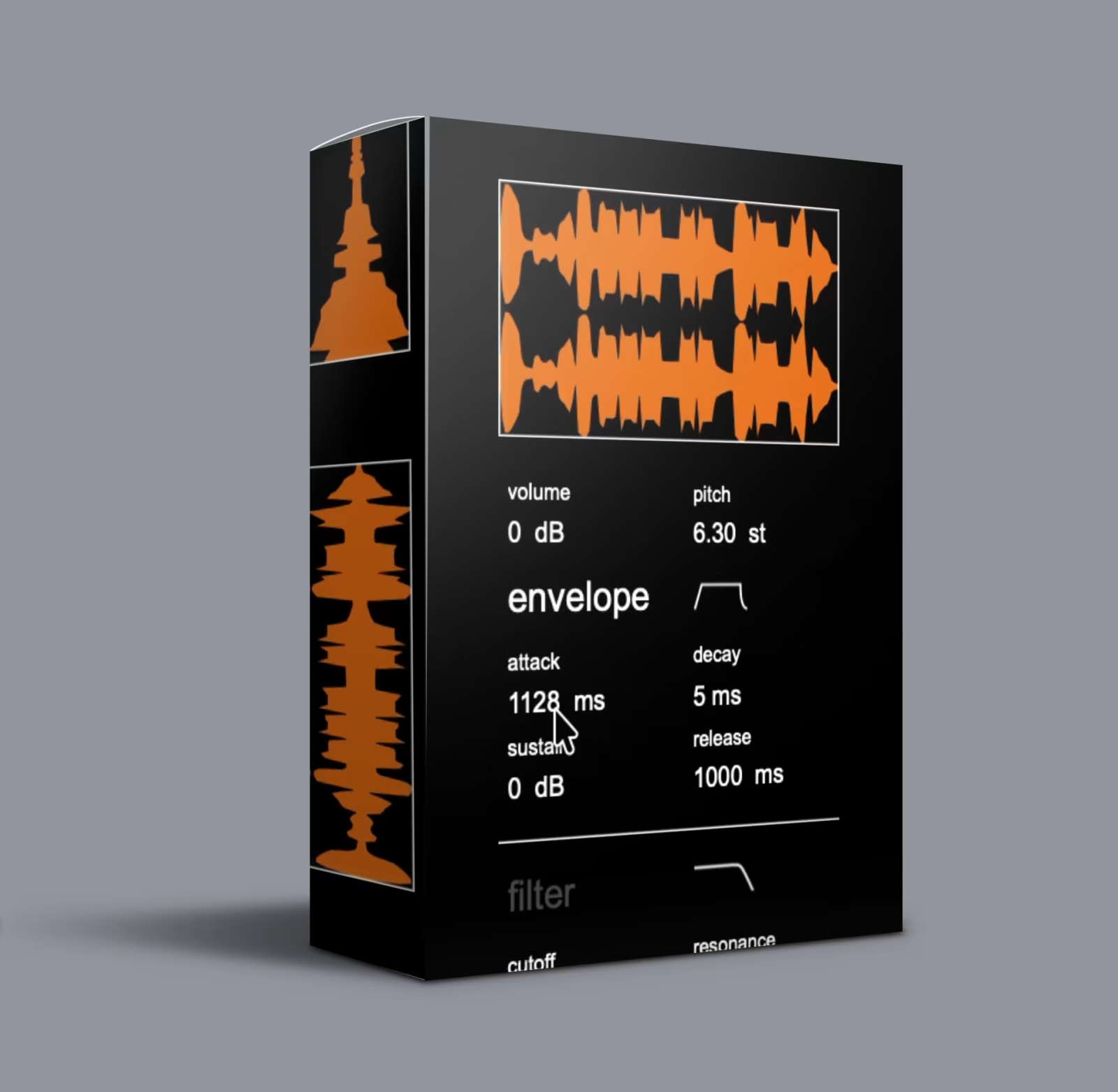
Waves Crate Multiverse VST – Sound Discovery Engine

Original price was: $89.00.$45.00Current price is: $45.00.
Waves Crate Multiverse VST: a randomized sound design engine with 4,000+ built-in sounds and 8 real-time effects. Drop in up to 5 samples, randomize playback/timing/tone, and resample the results. VST3/AU. Instant download.
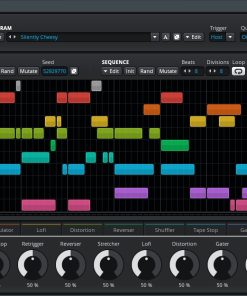
Waves Crate Multiverse VST is a randomized sound design engine that loads your audio — one-shots, textures, loops — and reshapes them through eight independent effects. These effects manipulate playback, timing, and tone in real time, producing results no preset library can match. As noted by producers on KVR Audio, randomization-based sound design tools are reshaping how modern producers approach sound creation.
Drop in up to five sounds from your library, or let the built-in generator create source material from a 4,000+ sound pool. Every randomization pass produces a different output. Consequently, you can lock the slots you like, keep mutating the rest, and resample the results into your DAW as you go.
Why Randomized Sound Design with Waves Crate Multiverse VST?
Most production workflows start by browsing the same libraries and loading the same presets as everyone else. When every producer draws from an identical pool of sounds, differentiation becomes a post-processing trick rather than a creative decision. Sound On Sound magazine has extensively covered how randomized approaches to production can yield more distinctive results than traditional preset-surfing workflows.
Waves Crate Multiverse VST breaks that loop by making the source material itself unpredictable. You feed it raw audio and the engine proposes variations you wouldn’t have dialed in manually — new textures, unexpected transients, and timbral shifts that don’t exist in any preset library. In fact, the entire premise is that randomization becomes your primary creative tool, not just a happy-accident generator. If you enjoy creative multi-effects processing, our Cableguys ShaperBox 3 VST offers a complementary approach with its 10-shaper effects suite for more deliberate sound sculpting.
Who Uses Waves Crate Multiverse VST?
Multiverse suits producers who treat sound design as part of the composition process, not a separate step. Specifically, these producers include:
- Experimental electronic — texture becomes arrangement; unpredictability becomes structure.
- Sound design & foley — generate source material that doesn’t sound like commercial sample libraries.
- Cinematic scoring — evolving, unstable textures create tension that static pads miss.
- IDM, glitch, and left-field — rhythmic randomization and timbral chaos are fundamental here, not decorative.
- Sample pack creation — batch-generate unique one-shots and textures at scale.
Additionally, if your process begins with “what happens if I…” rather than “where can I find…”, Multiverse aligns with how you already work. Producers who love creative sound manipulation should also explore our Dada Life VST Bundle, which brings a similarly unconventional approach to mixing and sound shaping with tools like Sausage Fattener and Endless Smile.
How Waves Crate Multiverse VST Works
1. Load Sounds into Waves Crate Multiverse VST
To begin, drag and drop up to five one-shots, textures, or loops directly into the Multiverse plugin from your DAW browser, desktop, or sample library. No format restrictions — the engine accepts WAV, AIFF, FLAC, and MP3. For guidance on setting up your plugin environment, Steinberg’s VST3 specification provides the technical foundation that Multiverse builds upon.
Alternatively, skip your own library entirely: click Generate Random Sound and Multiverse pulls from its internal 4,000+ sound pool with randomized parameter combinations. As a result, you never hear the same starting point twice.
2. Shape & Mutate in Waves Crate Multiverse VST
Once your sounds are loaded, you have two modes:
- Auto-randomize. Multiverse continuously shifts playback, timing, and tonal parameters across all loaded slots. Listen as it proposes variations you wouldn’t have programmed manually.
- Manual control. Adjust parameters per-slot or globally. Shape each channel independently, lock the slots you want to keep, and let the others evolve around them.
Furthermore, eight randomizable effects handle the transformation: playback manipulation, timing displacement, tonal reshaping, spectral smearing, grain randomization, and more. Each effect has its own randomization range slider — you set the guardrails, and the engine explores within them. This approach to sound design is also recommended by MusicRadar as one of the most effective ways to escape creative blocks in the studio.
3. Capture Results from Waves Crate Multiverse VST
Every parameter shift produces a new output. When you hear something worth keeping, save it as a user preset or resample the output directly into your DAW. Meanwhile, Multiverse keeps generating new variations while you capture what works. For producers building complete sonic palettes, our LoFi Panda 4 VST Complete Bundle pairs beautifully with Multiverse’s randomized textures, adding warm lo-fi character to the generated sounds.
What’s Inside Waves Crate Multiverse VST?
🎛️ 8 Randomizable Effects
Transform playback, timing, and tone across every loaded slot. Each effect has independent randomization range controls — from subtle variation to full deconstruction.
📦 4,000+ Built-in Sounds
A factory library covering textures, one-shots, tonal fragments, and noise. 500 factory presets included. Use directly or as seed material for the random generator.
🎲 Random Preset Generation
Each click of the randomize button assembles a fresh preset from the 4,000+ sound pool with randomized effect configurations. No two generations are identical.
🎚️ Per-Slot Control for Multiverse
Randomize all five slots simultaneously, or shape each channel independently. Lock a slot you like, mute one you’re done with, and let the rest keep evolving.
🔄 Nonstop Variation
There is no default state — every randomization pass proposes a new sonic direction. Resample, save presets, and keep exploring.
✅ What’s Included
- ✓ Multiverse Sound Discovery Engine Plugin (VST3 / AU)
- ✓ 8 randomizable effects (playback, timing, tone, grain, spectral)
- ✓ 4,000+ built-in sounds with 500 factory presets
- ✓ Random preset generation engine
- ✓ 5-slot loader with per-slot randomization control
- ✓ Installation guide & authorization instructions
- ✓ Lifetime download access
Waves Crate Multiverse VST System Requirements
| Platform | Details |
|---|---|
| Operating Systems | Windows 10/11 · macOS (Intel & Apple Silicon native) |
| Plugin Formats | VST3 · AU |
| DAW Compatibility | Ableton Live · FL Studio · Logic Pro · Cubase · Studio One · Bitwig · Reaper (any VST3/AU host) |
| Version | 1.00 |
For more details on compatible DAWs and plugin formats, refer to the KVR Audio plugin database where Waves Crate Multiverse VST is listed alongside thousands of other VST instruments and effects. You can also browse our full VST Plug-ins shop to discover additional tools that complement Multiverse in your production workflow.
Getting Started with Multiverse
Performance, Licensing & Product Info
Waves Crate Multiverse VST: Summary
Ultimately, Waves Crate Multiverse VST is a tool for generating sounds you wouldn’t arrive at on your own. Simply load your samples or use the built-in library, randomize across eight effects, lock what works, and keep pushing what doesn’t. Every pass is different. Therefore, resample the output into your DAW and move on to your next sonic discovery.
Ready to expand your production toolkit? Browse our curated selection of VST Plug-ins, check out the Cableguys ShaperBox 3 for precise multi-effects, or explore the Dada Life VST Bundle for creative mixing and sound design tools. For lo-fi texture fans, LoFi Panda 4 adds warmth and character to any sound — including those generated by Multiverse. Visit our blog for production tips, tutorials, and the latest plugin releases.
Be the first to review “Waves Crate Multiverse VST – Sound Discovery Engine”
You must be logged in to post a review.
Related products
VST Plug-ins

VST Plug-ins

VST Instruments
VST Instruments
VST Plug-ins
Bundle Deals
VST Instruments
VST Plug-ins
Reviews
There are no reviews yet.