

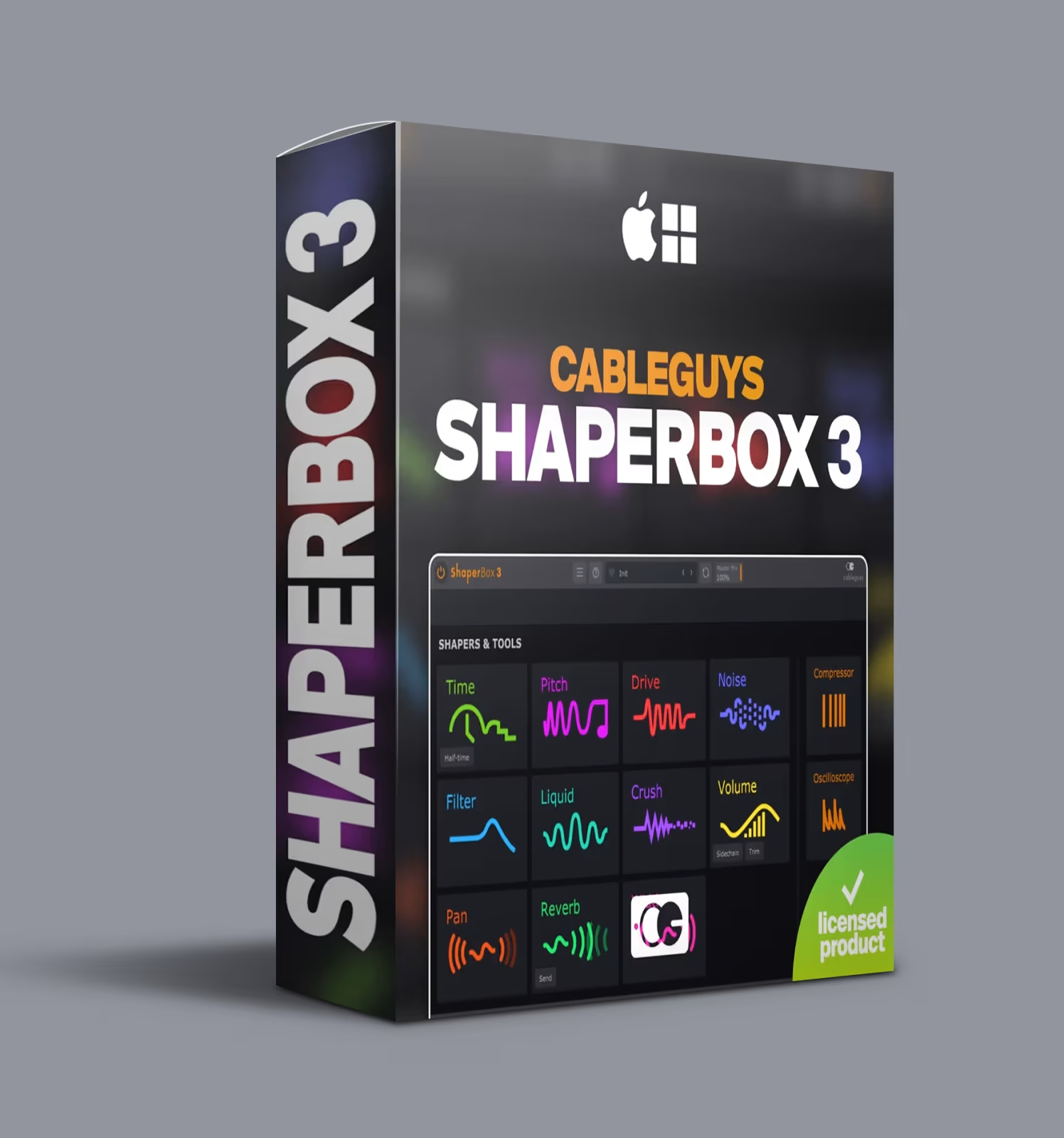
Need a synth line with movement that evolves across the arrangement? For example, that drum loop staying static after the first bar is a common frustration. Likewise, a vocal hook could cut through the mix with the right rhythmic filter sweep, but standard LFOs only handle basic modulation — sine, triangle, square. Those LFOs never quite match the groove you hear. Therefore, Cableguys ShaperBox 3 VST fills that gap between what automation can do and what you actually need.
Rather than choosing a waveform from a dropdown, ShaperBox 3 lets you draw exactly how each parameter moves over time. In addition, every shaper effect responds to the shapes you draw — curves, ramps, gates, random patterns, or anything in between. In short, modulation follows your arrangement rather than the other way around.
✅ After making a payment, you will receive:
❗– You receive a LIFETIME LICENSE for ShaperBox 3 from Cableguys within max 24 hours ( THIS IS PRE-ORDER )
❗– 100% GUARANTEE on the product — you can always contact us for assistance
❗– License will be requested and delivered within the specified time. (Please be patient.)
🟠 100% OFFICIAL LICENSE for Cableguys ShaperBox 3 from Cableguys
✅ Activation key provided via email — no iLok required
✅ Works on macOS & Windows
✅ Constant updates to new versions
What Cableguys ShaperBox 3 VST Brings to Your Workflow
ShaperBox 3 bundles ten dedicated effects — called shapers — into a single plugin. Each shaper focuses on a specific type of modulation, from volume shaping to pitch bending to stereo width. You can run multiple shapers in parallel, chain them in series, or use just the ones you need. Moreover, the drawing interface sets ShaperBox 3 apart from traditional multi-effects: every parameter curve is fully customisable.
ShaperBox 3 Effects: Volume, Time, Filter and More
Volume & Time Shaper Effects
VolumeShaper handles rhythmic volume modulation, gating, and tremolo by letting you draw the amplitude envelope. For example, want a kick that fades in over two bars? Draw a ramp. Need a hi-hat pattern that gates on sixteenth notes? Draw the gate shape. Furthermore, its envelope follower makes the shaper react to input dynamics rather than a fixed LFO — hit harder, get more modulation.
TimeShaper manipulates playback speed and direction through drawn curves. Consequently, tape-stop effects, stutter, and reverse all originate from these curves. Set a curve that ramps down slowly and the audio decelerates like a tape machine powering off. Conversely, a sharp drop creates a stutter effect that repeats the last few milliseconds. Timing locks to your DAW tempo, so every effect lands on the beat.
Filter & Stereo Shaper Effects
FilterShaper modulates filter cutoff and resonance with drawn shapes. For instance, vintage-style filters (LP, HP, BP) and modern variations are available. Draw a curve that oscillates between open and closed for a classic filter sweep. Alternatively, draw a pattern that opens the filter on every second snare hit for accent control.
PanShaper and WidthShaper handle stereo positioning. Specifically, PanShaper moves audio across the stereo field with auto-pan that follows your drawn curve. Meanwhile, WidthShaper narrows or widens the image — useful for creating dynamic contrast between verse and chorus sections or for adding motion to pad sounds.
Drive, Pitch & Crush Shaper Effects
DriveShaper applies rhythmic saturation and harmonic drive as distortion pulses with your drawn shape. A slow sine adds subtle warmth that breathes with the bar. In contrast, faster shapes create distortion that hits on specific beats — useful for accenting transitions or drop sections.
PitchShaper handles pitch modulation and vibrato with tuned wobbles, descending bends, or rhythmic detuning. Unlike manual pitch automation, PitchShaper syncs to tempo so every pitch shift lands precisely on the grid.
CrushShaper applies bit-crushing and sample-rate reduction that follows your drawn shape. For example, use it on drum busses for verse/chorus contrast: clean during verses, crushed during builds, back to clean on the drop. The shape determines when and how heavily the degradation applies.
Reverb & Faze Shaper Effects (New in Version 3)
ReverbShaper and FazeShaper are recent additions to the ShaperBox 3 lineup. ReverbShaper modulates reverb decay and density over time — draw a shape that opens reverb on specific words in a vocal line or closes it during percussive sections. FazeShaper, by contrast, modulates phaser and flanger movement with drawn curves, giving you precise control over sweep speed and depth.
Who Should Use Cableguys ShaperBox 3
ShaperBox 3 suits three types of producers: electronic and dance music producers who rely on rhythmic modulation as a core element of their sound, mixing engineers who want automation-style effects without writing lanes of clip automation, and sound designers who need precise control over how parameters move across time. It also fits producers working in hip-hop, pop, and hybrid genres where movement defines the arrangement.
ShaperBox 3 Sound Design with Drawable Modulation
ShaperBox 3’s drawable LFO system means you are not limited to standard waveforms. For example, you can draw a curve that rises slowly then drops instantly, layer another shaper with a different shape, and sync everything to your DAW’s BPM. In addition, complex patterns lock to the tempo automatically, opening sound design possibilities that would take hours of manual automation to reproduce.
For a practical breakdown of how drawable modulation compares to traditional LFO-based effects, Sound On Sound’s guide to creative modulation covers how rhythmic processing changes the perception of groove in a mix.
ShaperBox 3 Audio Triggering and Envelope Following
ShaperBox 3 includes audio triggering mode — sidechain a shaper to a drum bus, a vocal track, or any audio source. For instance, each kick hit triggers a filter sweep. A snare hit, meanwhile, opens a volume gate. On the other hand, vocal phrases trigger pitch drops as the sidechain processes them. This creates interaction between elements in your mix without manual editing — the shaper responds to the audio in real time.
The envelope follower works differently: it maps the amplitude envelope of the input signal to the shaper parameter. Therefore, a vocal with dynamic variation produces shaping that mirrors the peaks and valleys of the performance. Consequently, the effect feels organic rather than mechanical.
Pair ShaperBox 3 with our VST plugin collection for a complete processing chain that includes both modulation and traditional dynamics control.
Be the first to review “Cableguys ShaperBox 3 VST – 10 Shaper Effects Plugin”
You must be logged in to post a review.
Related products
VST Plug-ins
VST Instruments
VST Instruments
VST Plug-ins
VST Instruments
VST Instruments
VST Plug-ins

Bundle Deals
Reviews
There are no reviews yet.