

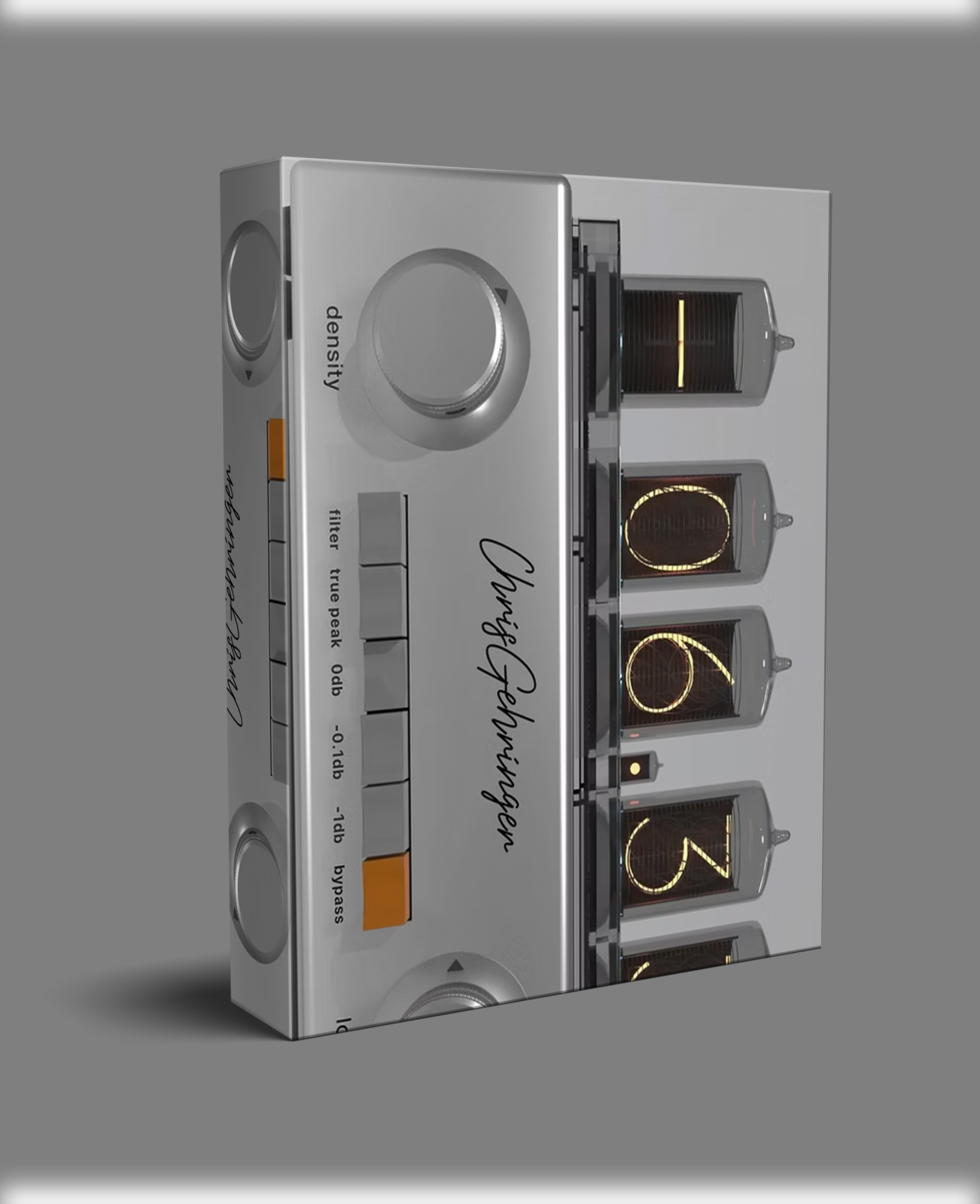


Make Believe Studios CGII – Mastering Dynamics Plugin
Make Believe Studios CGII is a mastering dynamics plugin for engineers who need loudness, weight, and clarity without sacrificing spatial depth. Its cold cathode Nixie tube display shows real-time EBU R128 LUFS and True Peak metering. The interface uses two main control knobs and a selector switch array. Everything stays clean and fast to operate.
The Make Believe Studios CGII suits the final stage of any mastering chain. Use it alongside a precision EQ like Baby Audio Smooth Operator Pro for tonal cleanup before limiting. You can also run it on your master bus while mixing in Logic Pro 11.2.0 or any other major DAW.
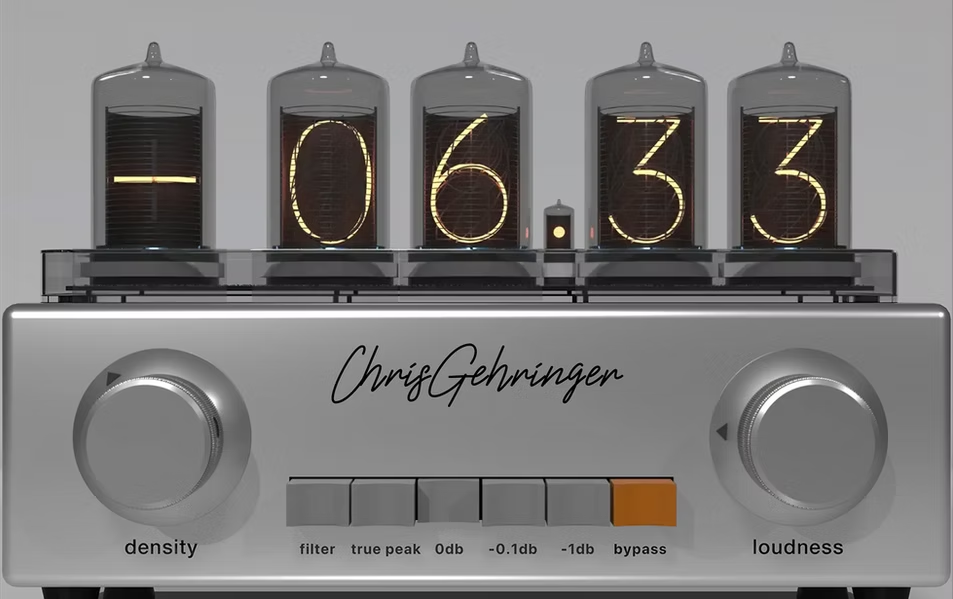
Key Features of Make Believe Studios CGII
- ✓ Density Control for transparent low-level enhancement
- ✓ Oversampled look-ahead True Peak Limiter
- ✓ Soft Saturation Loudness Stage with analog character
- ✓ DC Block Filter (1Hz high-pass) for clean output
- ✓ TPDF Dither with selectable bit depth (16–24 bit)
- ✓ Real-time EBU R128 LUFS and True Peak metering
- ✓ Oversampling up to 16x with A/B comparison
- ✓ Windows VST3 and macOS AU support
How Each Processing Stage Works
Density Control boosts low-level audio content without touching peak dynamics. Vocals, acoustic instruments, and full mixes all gain presence and weight. The result sounds transparent and musical, not pumped or compressed.
True Peak Limiter uses oversampled look-ahead processing. It catches intersample peaks before they cause clipping. You choose between 0dB, -0.1dB, or -1dB output ceilings to meet streaming platform targets. The Soft Saturation Loudness Stage adds perceived loudness through analog-style saturation. Stereo width and sonic detail stay intact throughout.
The DC Block Filter removes DC offset via a 1Hz high-pass filter. It keeps your output clean. TPDF Dither lets you select bit depth from 16 to 24 bit. This optimizes exports for CD, streaming, and broadcast formats.
Workflow and Cross-Platform Flexibility
The Make Believe Studios CGII fits smoothly into any DAW workflow. Right-click any knob to enter an exact value. Tooltips explain every control. A mirrored bypass lets you compare processed and unprocessed signal quickly. Advanced settings give you control over dithering and processing depth.
All Make Believe plugins share a unified header bar. You manage presets, toggle oversampling up to 16x, and run A/B comparisons from the same location across every plugin. This consistency extends to Metric Halo hardware DSP via MIOConsole3d. For technical details, visit the Make Believe Studios website.
Compatibility
- • Windows: VST3 only
- • macOS: AU (Audio Unit) Component
Make Believe Studios CGII – Frequently Asked Questions
How does Density Control differ from a limiter?
A limiter reduces peaks to raise average loudness. Make Believe Studios CGII Density Control works differently. It boosts low-level content that louder elements mask. Your master gains presence without the pumping artifacts that heavy limiting introduces.
Can I use CGII on individual tracks or only the master bus?
Make Believe Studios CGII targets mastering use on the stereo bus. The Density Control and Soft Saturation stages also work on submix buses. Many engineers run it as the final plugin in the mastering chain.
What output ceiling options does the True Peak Limiter offer?
The limiter gives you three ceilings: 0dB, -0.1dB, and -1dB. Choose -1dB for streaming platforms like Spotify and Apple Music. This avoids intersample distortion during playback on those services.
Does CGII support VST on Windows?
Make Believe Studios CGII runs as VST3 on Windows only. Legacy VST2 is not supported. On macOS, it runs as an AU component. Both formats work in Pro Tools, Logic Pro, Ableton, and Cubase.
The Make Believe Studios CGII gives audio professionals a precise, transparent mastering tool. It delivers loudness and depth without compromising the quality of your final mix.
Be the first to review “Make Believe Studios CGII VST3/AU”
You must be logged in to post a review.
Related products
VST Plug-ins

Sound Loops & Samples
Sound Loops & Samples
StudioLinked – Modernize VST + Festival Trap, EDM Trap EXPANSIONS
VST Plug-ins
VST Plug-ins

VST Instruments
Reviews
There are no reviews yet.